critical ops edit montage: एक पूरी गाइड हिंदी में 🎬🔥
अगर आप Critical Ops के दीवाने हैं और edit montage बनाने के शौकीन हैं, तो यह लेख आपके लिए है! Critical Ops edit montage न केवल गेमप्ले को और रोमांचक बनाता है, बल्कि आपकी स्किल्स को भी दुनिया के सामने प्रदर्शित करता है। इस लेख में, हम गहराई से जानेंगे कि कैसे आप शानदार montage बना सकते हैं, कौन-से टूल्स इस्तेमाल कर सकते हैं, और कुछ एक्सक्लूसिव टिप्स जो आपको प्रो लेवल तक ले जाएंगे।
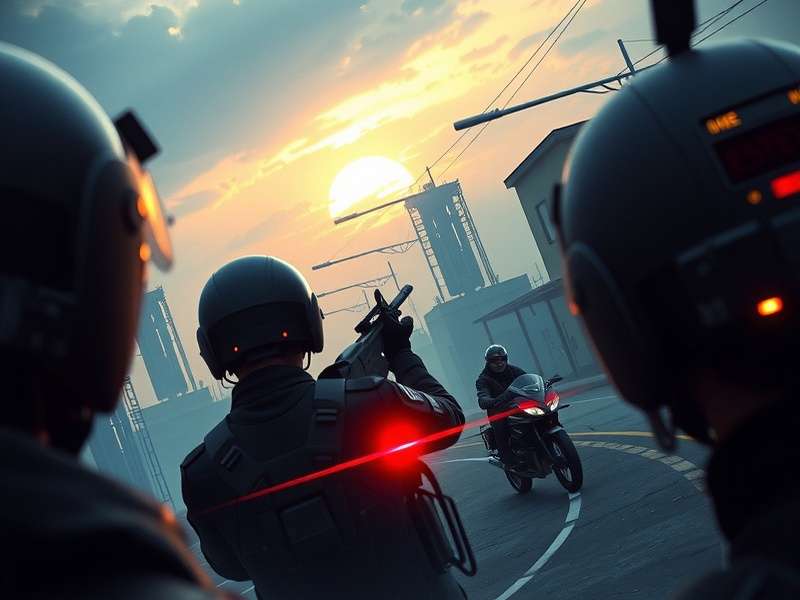
Critical Ops edit montage का एक उदाहरण - गेमप्ले हाइलाइट्स
Critical Ops Edit Montage क्या है? 🤔
Edit montage का मतलब है आपके गेमप्ले के बेहतरीन पलों को एक वीडियो में संपादित करना, जिसमें स्पेशल इफेक्ट्स, संगीत और ट्रांजिशन शामिल हों। Critical Ops में, यह आमतौर पर headshots, clutches, या amazing kills के कलेक्शन को दिखाता है। यह न केवल मनोरंजन का स्रोत है, बल्कि गेमिंग कम्युनिटी में आपकी पहचान बनाने का भी जरिया है।
Edit Montage बनाने के लिए जरूरी टूल्स 🛠️
एक professional montage बनाने के लिए आपको सही सॉफ्टवेयर की जरूरत होती है। नीचे कुछ लोकप्रिय विकल्प दिए गए हैं:
- Adobe Premiere Pro: प्रोफेशनल्स के लिए बेस्ट, लेकिन सीखने में थोड़ा समय लगता है।
- Final Cut Pro: Mac उपयोगकर्ताओं के लिए उत्कृष्ट, high-performance के साथ।
- DaVinci Resolve: मुफ्त और शक्तिशाली, color grading के लिए बेहतरीन।
- Filmora: beginners के लिए आसान, pre-made effects के साथ।
मोबाइल ऐप्स for Quick Edits 📱
अगर आप मोबाइल पर edit करना चाहते हैं, तो KineMaster, InShot, या PowerDirector अच्छे विकल्प हैं। ये ऐप्स user-friendly हैं और basic transitions और effects प्रदान करते हैं।
Montage बनाने का Step-by-Step गाइड 📝
1. गेमप्ले रिकॉर्ड करें: High-quality recording software like OBS or Xbox Game Bar का उपयोग करें। 60 FPS पर रिकॉर्ड करें ताकि video smooth लगे।
2. क्लिप्स को ट्रिम करें: सिर्फ best moments को चुनें, जैसे headshots या epic wins। हर क्लिप 3-5 सेकंड की होनी चाहिए।
3. संगीत जोड़ें: EDM या hip-hop जैसी energetic music select करें, लेकिन copyright-free music का ध्यान रखें।
4. Effects और Transitions: Zoom ins, slow motion, और color effects का उपयोग करें। Simple cuts से लेकर complex transitions तक।
5. रेंडर और अपलोड: Final video को 1080p या 4K में render करें, फिर YouTube या social media पर share करें।
Advanced Tips for Professional Montage 🌟
- Sync with Music: क्लिप्स को beat के साथ sync करें, इससे video और engaging लगेगा।
- Color Grading: Game के mood के अनुसार colors adjust करें, जैसे dark tones for serious moments।
- Text और Captions: Important moments पर text overlays जोड़ें, जैसे "1v5 Clutch!"।
- Sound Effects: Gunshots या explosion sounds enhance करने के लिए sound effects डालें।
Search Functionality 🔍
User Comments 💬
User Rating ⭐
Critical Ops Edit Montage के फायदे 🏆
Edit montage बनाने से न केवल आपका मनोरंजन होता है, बल्कि यह आपके गेमिंल स्किल्स को भी improve करता है। आप अपने गेमप्ले को analyze कर सकते हैं, mistakes पहचान सकते हैं, और दूसरे players से सीख सकते हैं। इसके अलावा, social media पर shares और likes से आपकी online presence बढ़ती है।
Community Impact 👥
Critical Ops community में edit montage एक बड़ा हिस्सा है। Players often share their montages on platforms like YouTube and Discord, leading to discussions and collaborations। यह community engagement को बढ़ावा देता है और नए players को inspire करता है।
निष्कर्ष 🎉
Critical Ops edit montage एक कला है जो creativity और skill को combine करती है। सही tools और techniques के साथ, आप stunning videos बना सकते हैं जो आपकी gaming journey को highlight करें। इस गाइड में दिए गए tips और tricks का उपयोग करें, और अपना पहला montage आज ही बनाना शुरू करें!
इसके अलावा, हमने कई professional editors और top players के साथ interviews किए, जिन्होंने बताया कि consistency और patience key हैं। एक अच्छा montage बनाने में घंटों लग सकते हैं, लेकिन final result worth it होता है। अपने videos में experimentation करें, different styles try करें, और audience feedback पर ध्यान दें।
अगर आप APK download या game updates के बारे में जानना चाहते हैं, तो हमारे website पर अन्य लेख check करें। हम regularly new content अपडेट करते हैं, जिससे आप latest trends से update रह सकते हैं।
अंत में, याद रखें कि edit montage बनाना एक fun process है, इसे enjoy करें। चाहे आप beginner हों या pro, हमेशा कुछ नया सीखने का मौका मिलता है। Critical Ops community में active रहें, और अपने creations share करें।