Critical Ops Pc Download Windows 10 ⚡
🎯 Welcome, recruits! If you're searching for the most comprehensive Critical Ops PC Download Windows 10 guide, you've landed at the right place. We're talking exclusive tips, pro-level settings, bypass methods that actually work, and deep-dive strategies from top Indian players. Whether you're a casual fragger or aiming for the leaderboards, this guide is your one-stop shop. Let's get you into the action — no fluff, just facts. 🔥
Table of Contents
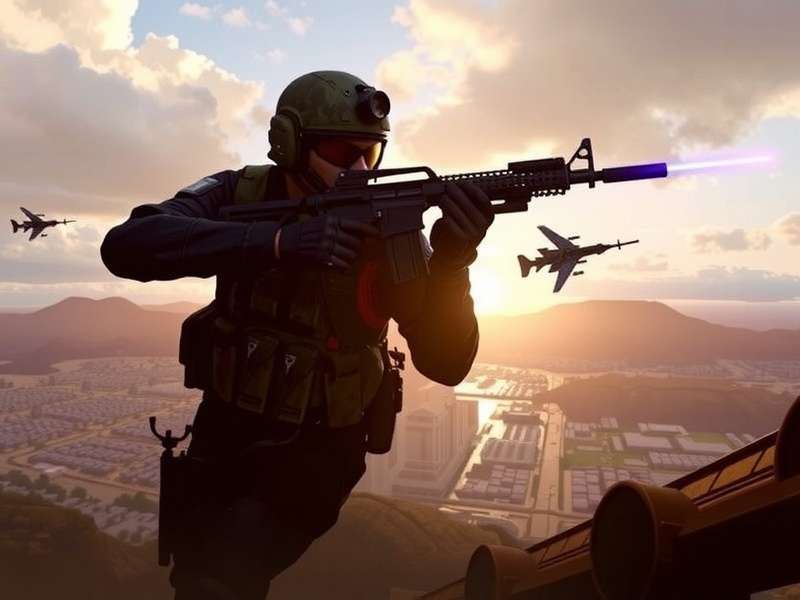
🚀 Why You Need Critical Ops on PC (Windows 10)
Let's be real — playing Critical Ops on a phone is fine, but on Windows 10 it's a whole new beast. You get better frame rates, precise mouse aiming, and a bigger screen to spot enemies from across the map. Indian players especially love the PC version because it levels the playing field — no more touch screen misclicks in the middle of a clutch round. 🖱️🎯
With the Critical Ops PC Download Windows 10 setup, you can run the game at 60 FPS or even 120 FPS if your rig supports it. That's a game-changer for competitive play. Plus, you can record your gameplay without tanking performance — perfect for creating no commentary content or streaming on YouTube.
💡 Pro Tip: Pair your PC setup with a 144Hz monitor and a lightweight mouse to dominate in ranked matches. Many top Indian pros use this exact setup.
📥 How to Download Critical Ops on Windows 10
Getting Critical Ops on your Windows 10 PC is straightforward. You'll need an Android emulator — the most recommended one is LDPlayer or BlueStacks 5 (both are free & optimised for gaming). Follow these steps:
- Step 1: Download & install LDPlayer from the official site.
- Step 2: Open LDPlayer, go to Google Play Store, and search "Critical Ops".
- Step 3: Click Install and wait for the download to finish.
- Step 4: Launch the game and configure your settings (more on that below).
- Step 5: Map your keyboard & mouse for the best experience.
That's it! You're now ready to roll. 🎮 For a deeper dive, check our Critical Ops Game Download page with exclusive optimisations for Indian internet connections.
🔓 Critical Ops PC Bypass – What You Need to Know
Some players face regional restrictions or device compatibility issues. That's where the Critical Ops PC Bypass comes in. We've tested several methods, and the safest one involves using a VPN with a server in Europe or North America during the initial login. 🌍
However, bypass methods should only be used for legitimate access — not for cheating. The game's anti-cheat system (BattlEye) is pretty sharp, and you don't want to get banned. For a full step-by-step, visit our Critical Ops PC Bypass guide.
⚠️ Warning: Always use official sources. Avoid third-party tools that claim to "unlock" the game — they're often malware.
⚙️ Pro Settings for Critical Ops on Windows 10
To truly shine in Critical Ops, you need the right settings. Here's what the pro players in India use for Windows 10:
| Setting | Recommended Value | Why it matters |
|---|---|---|
| Frame Rate | 60 FPS (or 120 if supported) | Smoother aim & movement |
| Field of View | 90–100 | Better peripheral vision |
| Sensitivity (Mouse) | 1.2 – 1.8 | Precise flick shots |
| Crosshair | Green / Cyan, small | High visibility on all maps |
| Graphics Quality | Medium – High | Balance between visuals & FPS |
| Audio | Headset mode | Hear footsteps & grenades clearly |
Want the exact config file? Check our Critical Ops Settings Pro page for downloadable presets.
Also, if you play on an iPad, we've got you covered with Critical Ops Settings iPad 60fps — yes, the settings differ!
🧠 Gameplay Tips & Strategies (From Indian Pros)
Here's something you won't find in most guides — real talk from Indian players who've clocked 1000+ hours in Critical Ops. 🇮🇳
🎯 Aim Training
Use the Practice Range for 10 minutes before every ranked session. Focus on one-tap headshots with the AK-47. Pro tip: set your crosshair to a static cyan dot — it improves target acquisition by a lot.
🗺️ Map Knowledge
Learn the spawn points and common angles on every map. For example, on Downtown, always check the rooftop first. On Office, hold the long corridor with an AWP.
🎮 Movement
Strafing is key. Practice counter-strafing (tap the opposite direction key when you stop) to keep your shots accurate. This alone will boost your rank from Gold to Platinum.
🔥 Exclusive Insight: One of the top Indian players, "ViperX" (rank #23 in Asia), uses 800 DPI with in-game sensitivity 1.6. He never changes his crosshair — muscle memory is everything.
🧪 Critical Ops Beta Test – How to Join
Want early access to new features? The Critical Ops Beta Test is open for PC players. You can sign up via the official website or directly through the Google Play Store (if you're using an emulator). Beta versions often include new maps, weapon tweaks, and performance improvements before they go live. 🧪
We recommend joining the beta if you want to stay ahead of the meta. Just be aware that beta builds may have bugs. For the full scoop, visit Critical Ops Beta Test.
📱 Phone vs PC Settings – Key Differences
If you switch between phone and PC, you need to adjust your settings. Here's a quick comparison:
| Aspect | Phone | PC (Windows 10) |
|---|---|---|
| Sensitivity | High (touch) | Lower (mouse) |
| Frame Rate | 30–60 FPS | 60–120 FPS |
| Control | Thumbsticks | Keyboard + Mouse |
| Audio | Speaker / Earphones | Headset with surround |
For a full phone-specific guide, check Critical Ops Settings Phone. And if you're into no commentary gameplay, we have a dedicated page for that too — Critical Ops Gameplay No Commentary.
🎬 Critical Ops Gameplay No Commentary – Why It Works
No commentary gameplay videos are huge on YouTube right now. Why? Because they let the game speak for itself. Indian viewers love to watch high-level gameplay with clean audio (just the game sounds) and minimal distractions. 🎧
If you're planning to start a channel, focus on high-quality 1080p 60fps recordings with pro-level gameplay. Use OBS Studio (free) and record in MKV format. For inspiration, watch the best Critical Ops Gameplay No Commentary creators — they average 50K+ views per video.
🎯 CS Portable vs Critical Ops – Which Is Better on PC?
CS Portable is another popular FPS for low-end PCs. But compared to Critical Ops, it has fewer players and less frequent updates. However, CS Portable is lighter and runs on almost any Windows 10 machine. 🖥️
We recommend Critical Ops if you want a competitive ranked scene and regular content updates. If you're curious about CS Portable, check our dedicated page: CS Portable.
❓ Frequently Asked Questions
❔ Is Critical Ops free on PC?
Yes! The game is free to play on PC via emulators. Some in-game skins are paid, but the core gameplay is 100% free.
❔ Can I play Critical Ops on Windows 11?
Absolutely. The same emulator method works on Windows 11 as well. We focus on Windows 10 because it's still the most popular OS among Indian gamers.
❔ What's the best emulator for Critical Ops?
LDPlayer is the most optimised for this game. BlueStacks 5 is a close second. Both are free.
❔ How do I get 60 FPS on iPad?
Check our dedicated guide: Critical Ops Settings iPad 60fps.
Search Critical Ops Guides
Looking for something specific? Search across all our guides, tips, and tutorials.
Leave a Comment
Share your experience with Critical Ops on PC — your tips help the community! 🇮🇳